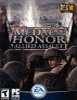
Developer : 2015Web site : http://www.2015.comPlatform : PCRequirements : View System requirementsViewed : 122,496 times
Application: MOHAA External port: 12201 Internal port: 12201 Protocol: UDP
Application: MOHAA1 External port: 12202 Internal port: 12202 Protocol: UDP
Application: MOHAA2 External port: 12203 Internal port: 12203 Protocol: UDP
Application: MOHAA3 External port: 12210 Internal port: 12210 Protocol: UDP
Application: MOHAA4 External port: 12300 Internal port: 12300 Protocol: UDP
Application: MOHAA5 External port: 13139 Internal port: 13139 Protocol: UDP
Application: MOHAA5 External port: 27900 Internal port: 27900 Protocol: UDP
Application: MOHAA6 External port: 28900 Internal port: 28900 Protocol: TCP
Application: MOHAA7 External port: 29900 Internal port: 29900 Protocol: TCP
Application: MOHAA8 External port: 29901 Internal port: 29901 Protocol: TCP
Application: MOHAA9 External port: 6500 Internal port: 6500 Protocol: UDP
Application: MOHAA10 External port: 6515 Internal port: 6515 Protocol: UDP
Application: MOHAA11 External port: 3783 Internal port: 3783 Protocol: UDP
Application: MOHAA12 External port: 6667 Internal port: 6667 Protocol: UDP
• Medal of Honor : Allied Assault router and firewall port informationThe information in this article is for the PC platform.
Any ports for Medal of Honor : Allied Assault listed on this page should be opened or forwarded in your router/firewall to allow proper connection to an online server or dedicated server and/or when you want to host an online multiplayer game or application from your computer or local area network (LAN). If you are unsure of how to open or forward ports please check your router/firewall manufacturers web site where you should be able to find a list of frequently asked questions or a knowledge base section, you may also be able to view an online user manual and in the vast majority of cases there will also be online support forums or blogs where you can look at a particular game or application and see whether other users have experienced the same problems, this is often a very good way to resolve a port forwarding issue, lots of users with similar computer hardware and internet connections may have experienced the same problem themselves and resolved it through online support forums or blogs, There may also be fan/clan or official website support pages where you can get information about Medal of Honor : Allied Assault online connection issues, you could also check the user manual that was supplied with your firewall or router, this should contain precise information that is specific to your router or firewall and should describe the process of opening or forwarding ports in easy to follow guides.
Once you know how to open or forward the ports you can use the application name, port numbers or port ranges, tcp/udp protocols shown here to modify your firewall or router's settings. To bookmark this page for future reference, press CTRL+D, alternatively you can make a note of the required tcp/udp ports now, unless stated otherwise, all the ports listed above must be forwarded. In some cases you may need to open several ports or port ranges, but if they are listed here they are required by the game or application. Some of the ports listed may state that they are for a game or application and there may be a seperate list which must also be forwarded when you are the host of an online game server and some applications, if this is the case, the exact requirements will be listed in the ports section and if the game or application requires additional ports when you are the host of a server it will state it in the list of ports. If there is no information listed for the ports or there is a question mark where the port numbers should be this means that we have so far been unable to verify the router/firewall ports, we are always looking for new information and trying to verify any existing information and welcome any input from people who may own the game or application.
This information is accurate to the best of our knowledge and where possible has been verified with a user manual for the game or application, in some cases the information will come from our web site administrators who have patiently tested and verified it. If you have any difficulties, errors or problems after opening or forwarding the ports you can register with us and send us an email using the Contact Us button on the main menu which will become available when logged in, we will always try to answer any queries and find a solution. We also have the system requirements listed for a growing number of titles so that you can check that your computer meets the minimum requirements, this information should also be available in the user manual that was supplied with Medal of Honor : Allied Assault or from the publishers/developers web site directly.
All information on this web site is free of charge so feel free to browse around, you can also use our quick find, search, list articles or our alphabetical lists from the main menu to locate a particular game or application.
We welcome users worldwide, registered users can enable or disable our regular website newsletter to let them know when new articles are added to the web site or updated on the website, this can be very useful when new games, applications, software versions are released. All registered users can enable or disable these and many other options on our website by editing their preferences page.
Article submitted : Mon, 22 May 2006 at 00:54:38 by Admin Predator
Last Modified : Tue, 31 Jul 2012 at 12:05:59
Press
CTRL+D to add
Medal of Honor : Allied Assault to your bookmarks
Please take a moment to
Register with us
Follow Findports :


We now also support Android, BlackBerry and iPhone mobile web devices.

 Welcome to Findports.com Please login or register a free user account
 Latest Article: Webmin posted on Thu, 19 Jan 2017 at 16:29:26 • Featured article: Grand Theft Auto 5 X360